A lot of good interviews never get recorded because the guest isn’t in the same room, and the last attempt sounded like a phone call. You don’t need a truck full of gear to do this well. You need a guest who can join without installing anything, a recording that isn’t trapped in a bad connection, and separate tracks you can actually edit.
Riverside is built around those three things. This is an affiliate link. If you subscribe or buy through it, The Cigar Guys may earn a commission, at no extra cost to you.
This is a recommendation for podcasters, lounge conversation series, and brand teams who interview people remotely. It is not a tour of our studio software. We do not record The Cigar Guys on Riverside. It is a checklist we would give a friend, and a recorder that matches it.
The three problems of a remote interview
Most remote setups fail in the same three places.
Install friction. You send a guest a long list of software to download, an account to create, and a driver to update, ten minutes before you meant to hit record. Some guests never make it into the room.
Connection quality. The conversation is being captured through the live connection. When the guest’s wifi stumbles, the recording stumbles with it, and you are stuck with a file that sounds like a phone call.
A mixed file you cannot fix. Everything lands in one combined track. The guest’s chair squeaks over your question. You cannot isolate a voice, clean one side, or pull a clean clip without cutting both people at once.
If you already think about guests as a system — we have written about the guest, sponsor, and repurposing systems a growing podcast needs — the recorder is the part that decides whether that interview is usable when you sit down to edit.
How Riverside addresses each one
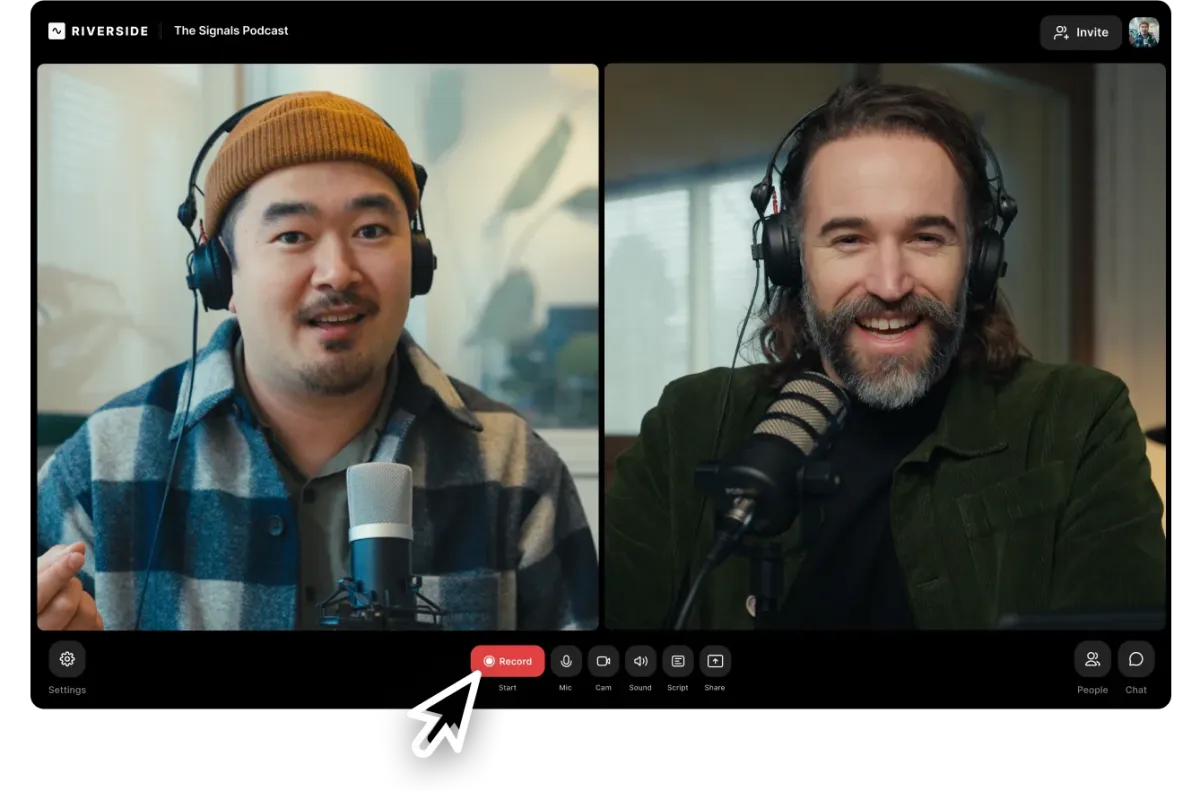
Riverside is a browser-based recorder built for remote conversations. Here is how it maps to those three problems, using only what Riverside publishes on its own product pages.
Guests join from a link, with no download. The invite is a link. Guests do not have to install a suite to get into the session. The online podcast studio holds up to nine remote guests, which is plenty for a one-on-one or a small panel. They can join from a browser, and they can also record from an iPhone, iPad, or Android phone if that is the device they have.
Each person records locally, then the tracks upload. Instead of trapping the master recording in the live connection, each participant records on their own device. The tracks then upload to the cloud. A weak connection is less likely to cap the recorded quality. Officially, Riverside records in up to 4K video and 48 kHz audio — that is an “up to” figure, and it is not on every plan.
You get separate, synced tracks. Each participant’s audio and video are saved as separate, synced tracks, so you can edit one person without dragging the other. If someone shares a screen, that screen share is saved as its own track as well.
A few other official features help once you are in the session. There is a built-in teleprompter, so you can keep questions or notes in front of you without flipping to another window. A producer can join and adjust settings without appearing on camera. After the recording, Riverside offers text-based editing: you trim the session by editing the transcript. In-person and hybrid sessions are also supported, which matters if one guest is at the table and another is on a link.
A short checklist before you hit record
This is the list we would hand a friend the night before a remote interview:
- Test the guest link. Send it early. Join a short test yourself so you know the invite works on the device your guest will actually use.
- Headphones. They keep your microphone from hearing the other person’s voice twice, and they make it easier to catch a problem before you start.
- A quiet room. Close the door. Silence notifications. Ask your guest to do the same. The recorder cannot invent a quiet room after the fact.
- Backup notes in the teleprompter. Put your questions or talking points where you can see them while you are looking at the guest, not in a separate doc you have to hunt for.
- Hit record, then do the interview. Once everyone is in and levels look right, start the recording and talk. The conversation is the job.
- Wait for the tracks to finish uploading. Local recording only helps if the files make it to the cloud. Do not close the session and walk away the second you say goodbye.
The same discipline you would bring to covering a live event as a podcaster applies here: prepare the room, capture clean source material, and sort the files before you leave the session.
If you also sell merch or run a brand shop alongside the show, we have a separate look at how we run our merch store on Fourthwall. The recorder and the store are different jobs. Both work better when you pick a tool and actually use it.
A recorder we recommend for that job
If you interview people who can’t come to you, start with a tool that doesn’t ask them to install a suite and doesn’t leave you with one muddy file. Riverside is one we recommend for that job. Current plans, including a free plan, are on their pricing page.
This is an affiliate link. If you subscribe or buy through it, The Cigar Guys may earn a commission, at no extra cost to you.