How to Set Up an AI Employee Without Losing Control (The Way We Hire Ours)
Handing work to an AI assistant is easy. Keeping control of what leaves your business is the part most people skip.
You open a chat, paste a messy brief, and hope for the best. A week later the prompts live in a dozen windows, drafts go out without a second look, and nobody can say whether the “assistant” saved any time or just created more cleanup. That is not a hiring process. That is a gamble.
We run The Cigar Guys Podcast like any small media shop: clear roles, written instructions, and a human who owns the send button. When we gave AI tools real jobs around the show (first-pass show notes, research digests, clip ideas), we hired them on paper first. Same rules we would give a new contractor. Here is that hiring playbook for creators who want help without handing over the keys.
Start with the Work, Not the Tool
Before you pick a chat assistant or agent platform, list the jobs that eat your week. For each one, note how often you do it, roughly how long it takes, how repeatable the steps are, how bad a mistake would be, whether sensitive data is involved, and whether it needs your taste or relationships. The best first hires are frequent, repeatable, and low-risk: sorting inbox categories, drafting a first pass at show notes, or pulling research into a short brief. Anything that needs your signature, sponsor relationships, or final brand voice stays with you until the drafts prove themselves. Pick one or two strong candidates. Automating ten things at once is how control disappears.
Write the Role Like a Job Description
A role description is short on purpose: why the role exists, the tasks it handles, what it must never do, who the human owner is, and how you will judge the work. We keep six starter roles ready to adapt: inbox triage, content drafter, research assistant, social post scheduler, customer support drafter, and bookkeeping prep helper. You can invent your own. The point is that the AI never gets a blank check labeled “help with everything.”
Standing Instructions, Then Test Them
Standing instructions are the rules that apply every time, separate from the single task you ask for today. Write them once. Run them on five to ten real examples before you trust them. When the output is wrong, fix the instructions and save a new version instead of patching one draft. A simple version log (where it lives, what changed, whether you tested it) stops the same mistake from coming back next week.
Put the Flow in an SOP
A standard operating procedure sounds corporate until you have tried to remember “what happens when the draft looks fine but the source link is missing.” Spell out inputs, steps, where a human checks the work, and when the AI should stop and ask instead of guessing. That escalation line is what keeps an assistant from inventing a guest quote or a sponsor rate.
Guardrails: AI Drafts, People Decide
This is the step most people skip, and it is the one that protects your business. Our default is simple: AI drafts, people decide. Some actions are hard or impossible to undo, so they need either “Never” or “Human approves each time”:
- Sending email or messages
- Publishing or posting
- Spending money or buying anything
- Contacting new people
- Replying to customers
- Changing or deleting data
- Accessing sensitive data
- Making bookkeeping entries
Instructions in a prompt are not locks. A rule can be misunderstood or ignored. Where you can, enforce the rule with access instead: draft-only email so you press send, no publish permission, read-only data, and never a payment method connected to an agent. We have written before about using AI to speed up podcast clips and editing short-form in CapCut; the accuracy and approval checks are the steps we would never skip.
Privacy, Draft-Only Mode, and Honest Measurement
Run a privacy pass before any tool touches customer emails, order data, or your accounts: what data goes in, which connection uses the least access that still works, and how you would revoke access quickly. Treat it as practical hygiene, not legal advice. Then run each new role in draft-only mode for at least two weeks. Once a week, sample the work, pause and fix anything serious, and only then reopen the role.
Measure time the honest way. Separate timed minutes from guesses. Count setup time and the weeks when fixing drafts took longer than doing the task yourself. Keep the roles that earn their keep. Drop the ones that do not. No template and no tool can promise how many hours you will save; only your own measurements can tell you.
The Kit We Built for This
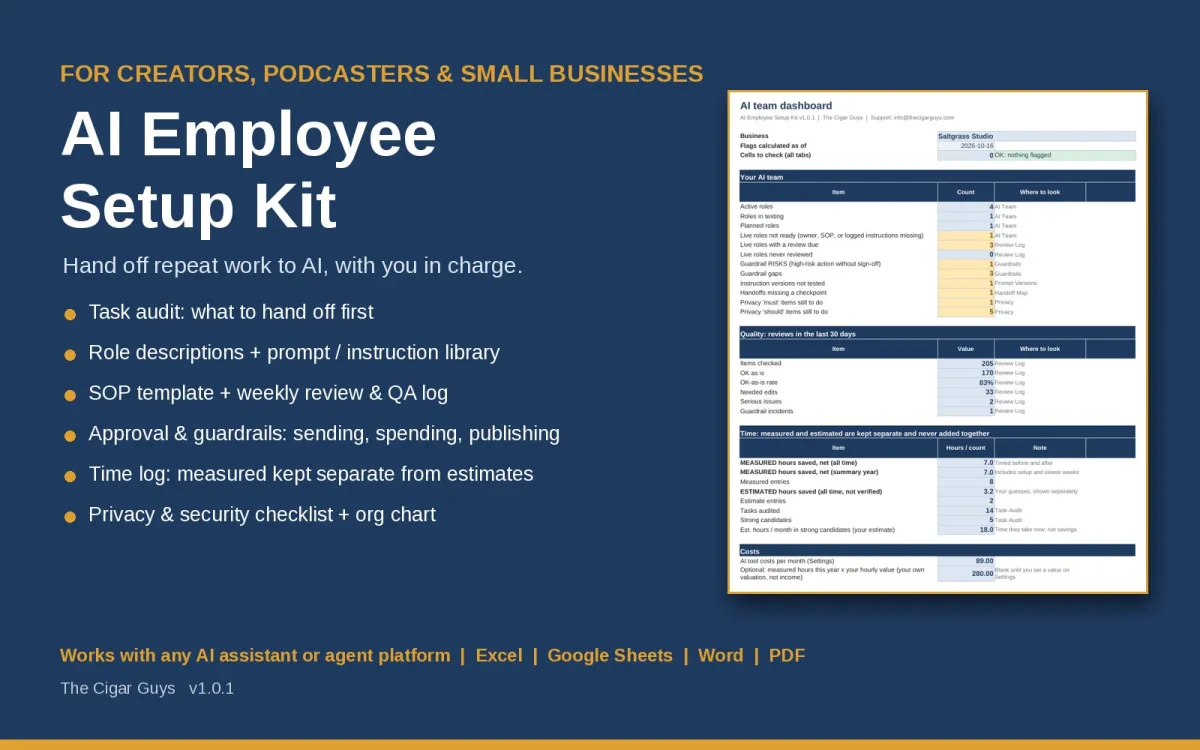
We packaged that hiring process into the AI Employee Setup Kit ($39, one-time). You get a planner workbook (Excel or Google Sheets) with a task audit, role roster, guardrails matrix, prompt version log, weekly QA log, and a time log that keeps measured minutes separate from estimates, plus blank and starter role descriptions, a prompt library for the six starter roles, SOP and checklist templates, an org chart, Start Here and User guides, and a completed fictional example for a made-up podcast studio.
It is tool-agnostic. It does not connect to or control any AI platform, and it cannot make a tool safe or accurate on its own. It gives you the structure. You stay in charge. If the first role you hire is a content drafter, pair it with the Small Business Social Media Content Planner or the Podcast Content Repurposing Kit. Running client work too? The Freelance Service Business Kit covers pricing, CRM, proposals, scope, invoices, and client emails.
What It Costs (and the Wider Library)
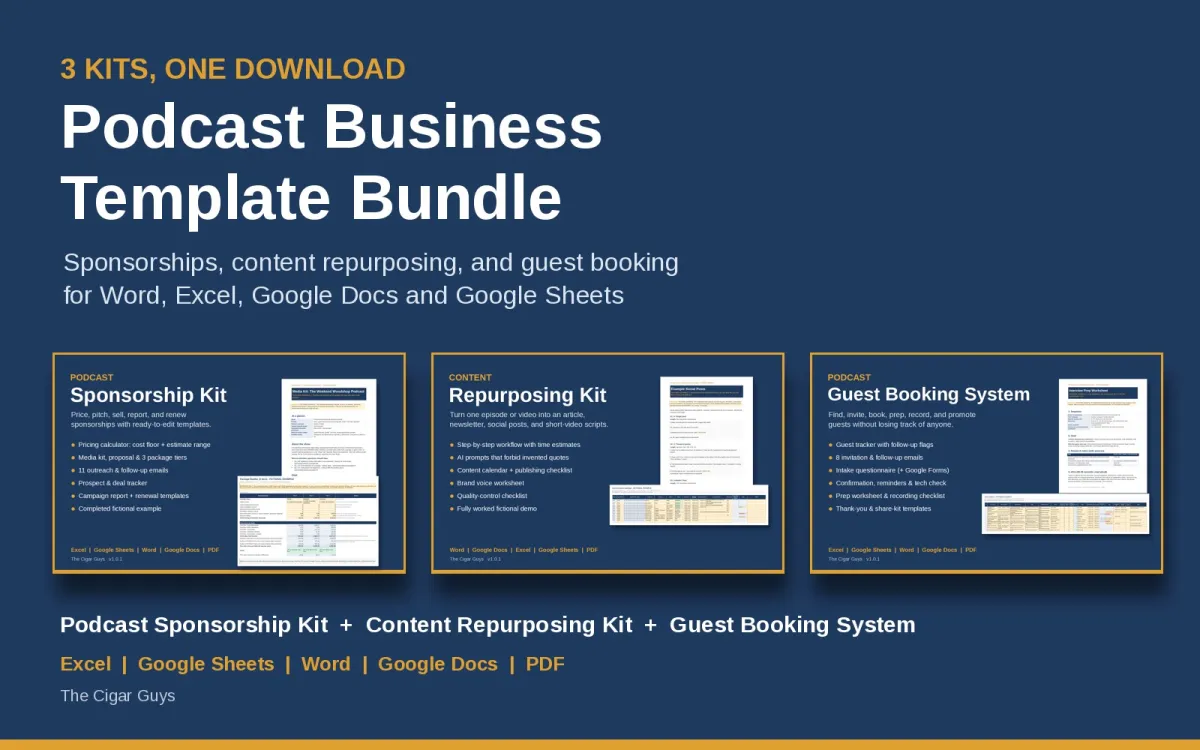
For most growing shows, the first systems that pay for themselves are still sponsors, guests, and repurposing. That is why we lead with the Podcast Business Template Bundle (3 Kits) at $69. Bought separately those three kits are $97 at current store prices. We walked through how those systems fit together in our posts on running your podcast like a business and sponsors, guests, and repurposing.
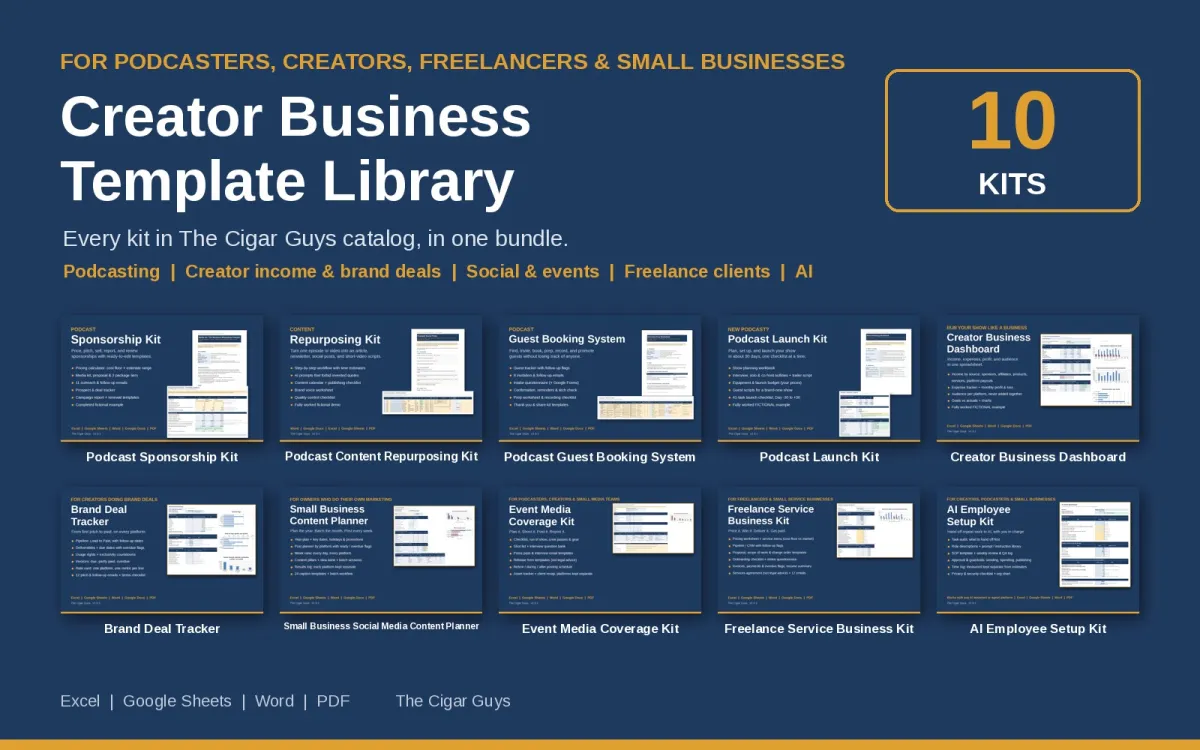
If you handle more than the show itself (income tracking, brand deals, social planning, clients, and AI setup), the Creator Business Template Library (All 10 Kits) is $149 and includes the three podcast kits plus seven more, including the AI Employee Setup Kit, the Creator Business Dashboard, and the Brand Deal Tracker. Bought one at a time, all ten add up to $360 at current prices.
Through November 7, 2026, the code LAUNCH20 takes 20% off in our Payhip store. The code ends November 7, 2026.
Where to Start
Pick one repeat task that is frequent, low-risk, and eating your week. Write the role. Set it to draft-only. Review it for two weeks before you hand over anything else. Browse everything in The Cigar Guys store on Payhip.
One more thing: if you run a show or community where these kits would fit, we have an affiliate program through Payhip you are welcome to join.
Questions or a file that will not open? Email info@thecigarguys.com. These are instant digital downloads, so all sales are final, but if a file is broken or missing we will fix it.